Start Recording
M365 and Copilot

How to Share Teams Recordings with People Outside Your Network

When your business relies on technology, it is good to know what you’re doing or at least have someone handy in IT that can help. I recently conducted an online Teams training, to which the client requested that the meeting be recorded so that it can be shared with other
by Kayla
Read More
Alt Text1
M365 and Copilot

Automatic Alt Text for Images in Microsoft Word

Did you know that every time you add an image to your Word document, it automatically generates “Alt Text?” Do you know what Alt Text refers to? Alternative Text or Alternative Descriptions are written copy that describes the image. This text also helps screen-reading tools describe images to visually impaired

by Kayla
Read More
OutlookWZ 1
M365 and Copilot

4 Tips for Mastering Your Microsoft Outlook Calendar

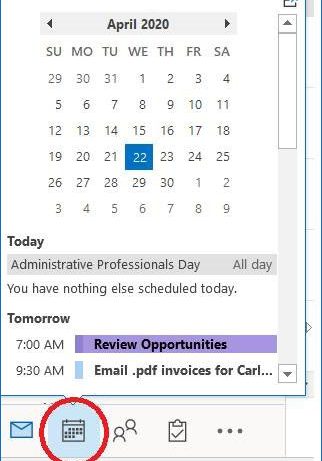
With so many of us working from home, what would have been a conversation over a cubicle, now requires a scheduled meeting.  Here are some tips for getting more out of your Microsoft Outlook Calendar and how to get a meeting on the right calendars, fast! 1. Quickly View Calendar

by Kayla
Read More
Outlooksearch1
M365 and Copilot

How to Remove Top Results From Outlook – 3 Easy Steps

Just when I started to get along with my Outlook search, Microsoft went and changed it.  “Top Results” arrived in my searches and didn’t work well for me. The messages at the top were NOT the most recent, even though I had my inbox sorted by date range. The most

by Melissa
Read More
Blog update to chat
M365 and Copilot

OFFICE 365 UPDATE: No Better Way to Collaborate Other than Chat

Update from January 2020 Post: No Better Way to Collaborate Other than Chat Microsoft is eliminating the ability to initiate a chat directly with a co-author of Word, Excel, and PowerPoint document. This change will take affect mid-April (across the web, Windows, and Mac versions of Microsoft Office). Moving forward,

by Kayla
Read More
M365 and Copilot

GPUG Midwest Event in Wisconsin Dells

GPUG Midwest Event in Wisconsin Dells Date: Wednesday, September 25th, 2019 Where: Civic Opera House, 20 North Wacker Drive, Suite 2005, Chicago, IL 60606 Time: 8:00 am - 11:00 am (Presentation to start 8:45 am sharp) Register Here!   Join us for a free breakfast and get inside tips and tricks

by Kayla
Read More
Chat1
M365 and Copilot

Office 365: No Better Way to Collaborate Other Than Chat

Have you ever used Track Changes in Microsoft Word, or received comments on your spreadsheets in Excel, or even PowerPoint, then questioned why a certain change was made?  You try to contact the person who made the edit, but can’t locate them, they’re either in a meeting, or on vacation. 

by Kayla
Read More
Teams Lock1
M365 and Copilot

How to Resolve File Lock Issues in Microsoft Teams

Microsoft Teams has many great collaboration features for sharing files.  At times, you might receive one or more of the following issues, all regarding file locking.  If you encounter one or more of these messages, try following the resolution steps below. Problem Messages in Teams: Other messages include warnings that

by Joe
Read More
To Do DT Web Version
M365 and Copilot

Microsoft Outlook Online Changes the Way You Do Tasks

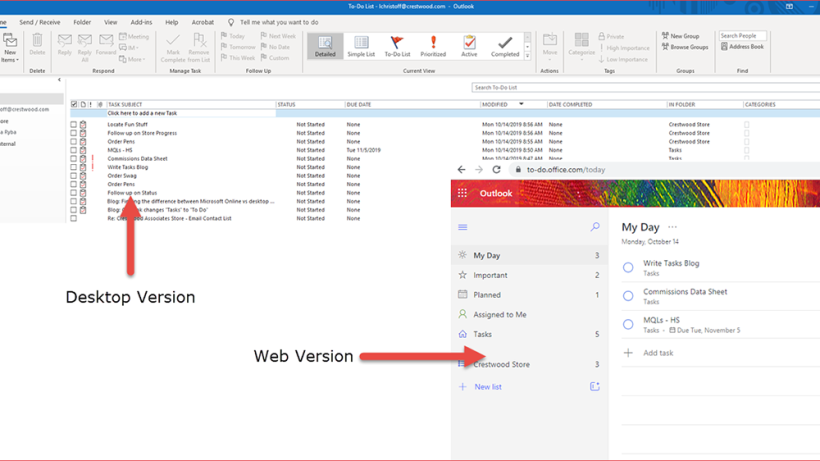
Microsoft is set to update Tasks in Outlook on the web at the end of October, with the full rollout be completed by December 2019. What does this mean to you? Nothing really, just a new name, from “Tasks” to “To Do.” Personally, I’ve never used the Tasks feature to

by Kayla
Read More
Motion1a
M365 and Copilot

Cool Animations in PowerPoint Using Motion Paths to Move Objects

It’s been a long time since I’ve found something this cool in Microsoft PowerPoint, so I had to share!  Motion paths for animating objects in PowerPoint. Using power point animations to move objects is a great way to stand out in your presentations. PowerPoint Motion Path : My manager came

by Kayla
Read More
OneNoteFeature1
M365 and Copilot

Increasing Efficiency in Client Meetings with OneNote, RocketBook, and Office 365!

My goal this year is to become more efficient. To work toward that goal, I started using a tool called Rocketbook. It’s a physical notebook that can be written in with a special pen, scanned and uploaded, then erased and reused. It allows me to take notes at client meetings,

by Colleen
Read More
Dictate2
M365 and Copilot

Hands-Free Typing in Microsoft Word

As I was searching for a new topic for our Productivity Tips & Tricks, I came across this nifty tool called Dictate. Similar to voice to text on your mobile phone, this feature allows you (actually your fingers) to take a break from typing. What’s not to love about that?

by Kayla
Read More
Menu ribbon
M365 and Copilot

Staying Organized in Microsoft Outlook

If you’re a visual person like I am, and you like things color coordinated, then you need to check out Color Categories in Microsoft Outlook. This feature has been around since 2010 and it’s a great way to get organized, and keep track of your emails. It helps me to

by Kayla
Read More
SkypeTracka
M365 and Copilot

Skype for Business Tracking Chat and Call Durations in Outlook

Did you know that you can track your Skype chat conversations in Outlook, track call history, and durations?  It can be a useful tool in regard to tracking time with clients or projects.  Here's how I use it. First make sure your Skype Options are set properly.  For some companies

by Joe
Read More
Teams2
M365 and Copilot

Our First Trial of the New Microsoft Teams

Our Marketing department here at Crestwood decided to try out Microsoft Teams.  I was leery at first, but I have to say, overall, it’s AWESOME!  The more I use Teams, the less time I spend searching for emails, files, or switching between screens.  Microsoft Teams has brought almost everything into

by Kayla
Read More
Autofill formula combined 3 4a
M365 and Copilot

Save Time by Using Formulas & Auto Fill in Microsoft Excel

It’s that time of the year again, we are all scrambling to close out 2018 while planning for 2019.  There’s a lot of new technology and tools to help, but most of us still resort to the tried and true – Microsoft Excel.  If you’re not a pro with formulas,

by Kayla
Read More
QuickOpen2
M365 and Copilot

Get Started Quickly with the Start Screen in Microsoft Word

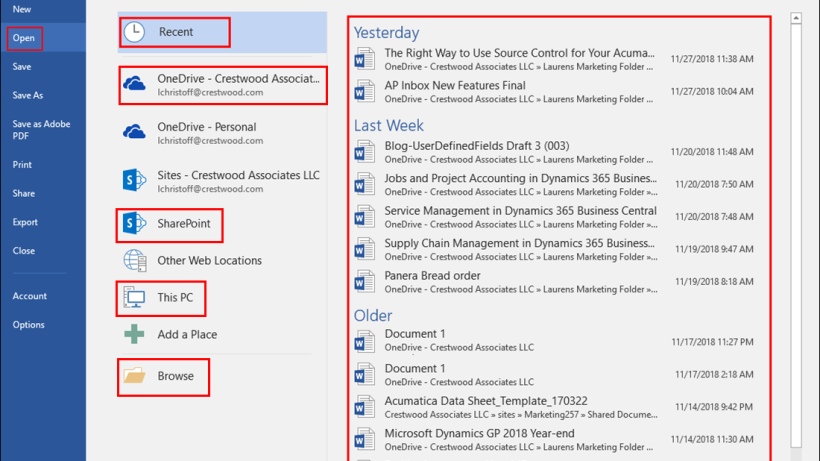
One of my favorite new features of Office 365 – 2016 is the get started quickly with the Start screen. This feature runs across the board with Microsoft Word, Excel, PowerPoint, and Publisher. The Start screen gives you quick access to the most recently used documents, or open other documents

by Kayla
Read More
Tell me what you want to do
M365 and Copilot

Microsoft Excel – All you have to do is ask!

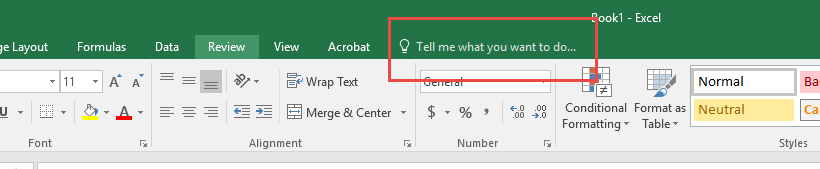
You now can ask Microsoft what you want to do in the search box on the ribbon. This new feature runs across the board in the Office 365 suite of apps. All you have to do is type a keyword or phrase into the “Tell me what you want to

by Kayla
Read More
Smartlookup1
M365 and Copilot

Let’s Look it UP with Smart Lookup in Microsoft Word

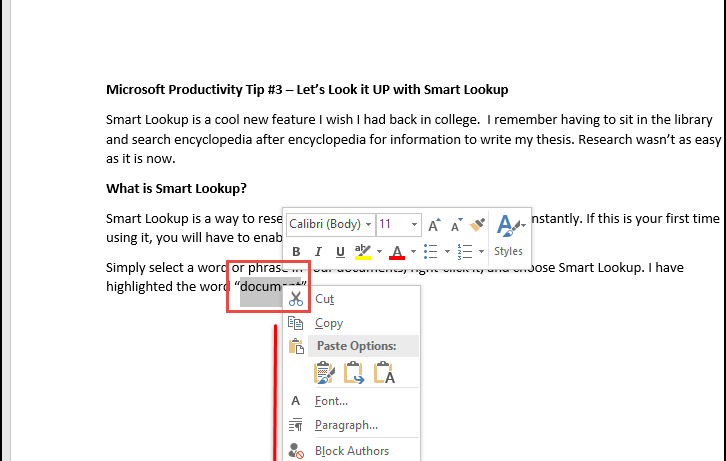
Maximize your research time with the integrated Smart Lookup in Microsoft Office products.  Smart Lookup is a cool new feature I wish I had back in college.  It makes research quick and easy.  If you haven’t tried this out, you need to today! What is Smart Lookup? Smart Lookup is

by Kayla
Read More
1
M365 and Copilot

6 Reasons to Switch to Office 365 Enterprise E3

1. Automatic Updates to Well-Known Apps First, your company will always be on the latest version and will not need to worry about upgrading to latest and greatest. Office 365 Enterprise E3 is straightforward to use; most you have been using these products throughout your professional careers. Only difference is

by Kayla
Read More
1 1
M365 and Copilot

Automating Outlook Calendar to Send Daily Agenda

Make my agenda come to me... I love the quote from the overly-ambitious Senator Underwood in “House of Cards.” He was talking to Freddy, a blue-collar owner of a restaurant. Freddy was telling him about his ride to work when he had to swerve to avoid a refrigerator that fell

by Joe
Read More
shortcuts1
M365 and Copilot

Visual Studio – How to Remember 1,000 Shortcut Keys

How many productive Microsoft Visual Studio shortcut keys have you learned but managed to forget? I used to have a shortcut key created using AutoHotkey that would allow me to get to a Word document with a collection of (less often used) shortcuts as a cheat sheet. I recently decided

by Joe
Read More
PPT Tip1 Pic1
M365 and Copilot

Introduction to Microsoft PowerPoint

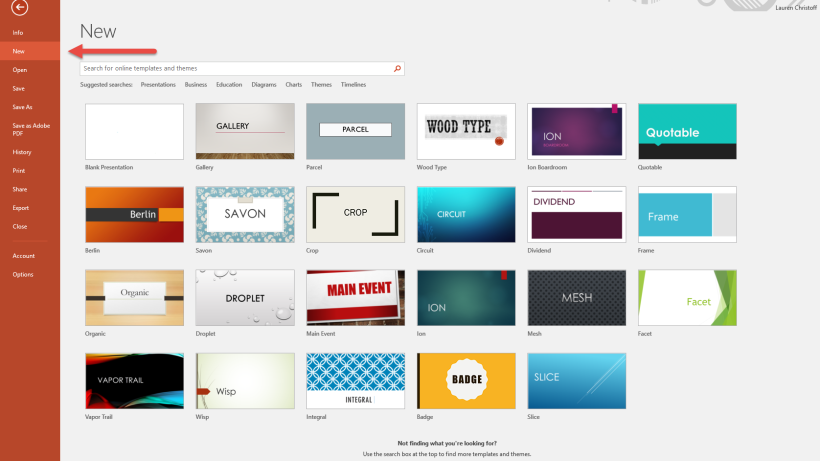
This week we’re going to talk about Microsoft Office 365 PowerPoint, what it’s used for, and how to set up a new presentation. First things first, you may ask yourself, what will I use PowerPoint for?  PowerPoint is software used to create professional looking slideshow presentations. They can be displayed

by Kayla
Read More
loss files
M365 and Copilot

Whoa! What Just Happened? Did My Microsoft Word Document Save?

How many of you found yourself working on a document and before you know it, the application you are using crashes?  You think to yourself, “Oh I hope it saved!” I’ve lost plenty of documents, countless! It’s the worse feeling in the world; all that work you put in and

by Kayla
Read More