

TL;DR: How to select an ERP system: run seven steps in order. Name the problem, build the team, write requirements as your own transactions, set the budget range, shortlist the platform and the partner together, run scripted demos, then check references and sign the statement of work. The common failure is running the demo before the requirements and the partner.
From Crestwood Associates, an award-winning Microsoft partner and Acumatica Partner of the Year, trusted by clients like Wet & Forget, Summit Brands and Green Bay Packaging.
The third demo of the week ends the way the first two did. Every finalist handled the sales order, the month-end and the inventory screen, and the selection team agrees on nothing except that they all looked fine. That week is a symptom. The cause sits further upstream: the team saw software before it had written down what the software had to do, and before it had looked hard at who would install it.
Most ERP selections go wrong in the order of the steps, not the steps themselves. Requirements and partner fit come before the demo, not after it. Run the same seven steps in a different order and you end up with a different system and a different partner, and the invoice changes with them.
One disclosure before the steps. Crestwood is an ERP implementation partner, so step 5 asks you to evaluate firms like ours. Use it against us as readily as for us.
Why the order of the steps decides the outcome
Each step produces the input the next one needs. Requirements become the script for the demo. The budget range decides which platforms belong on the shortlist. Partner fit decides who configures the demo and who staffs the build. Run the demo first and it supplies those inputs instead: the vendor’s best workflow becomes your requirement, and the person who presented becomes your partner by default.
Crestwood frames every evaluation with the Three-Legged Stool, a framework that tests an ERP decision across three legs: Partner, Platform and People. If any leg is weak, the project is at risk, whichever platform wins. The seven steps below test each leg in turn. The order matters because a demo can only test one leg, the Platform. It tells you nothing about the partner who will configure it or the people who will run it.
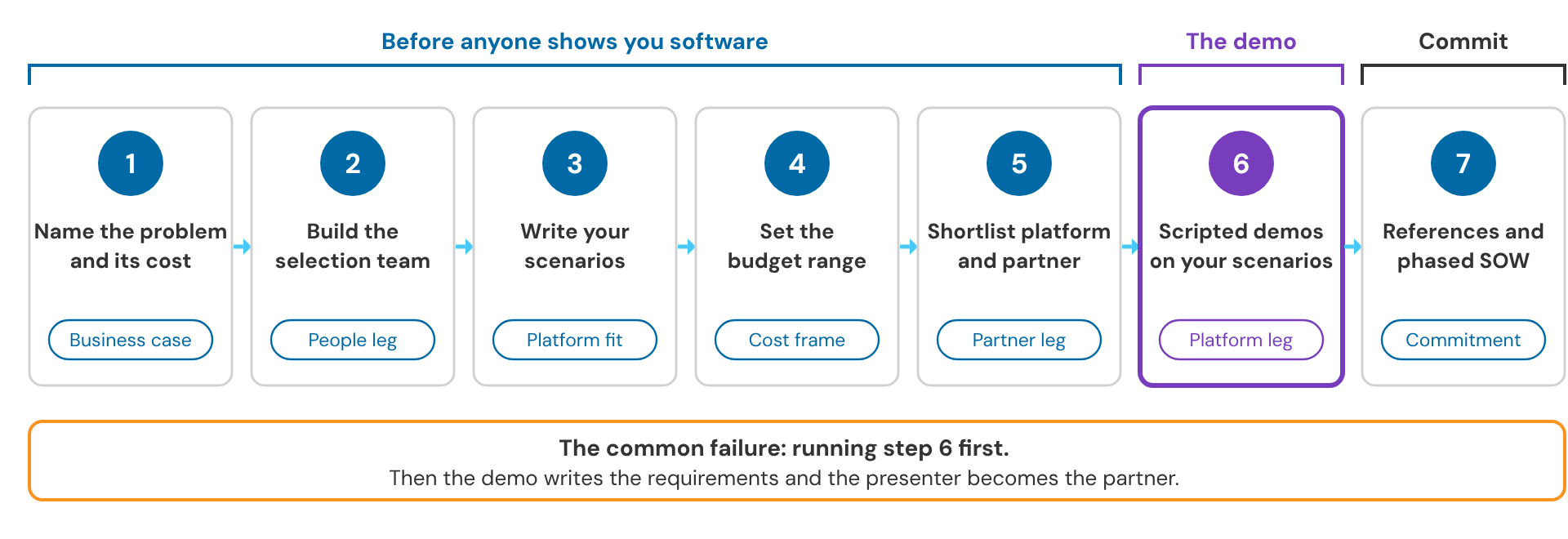
The ERP selection process at a glance
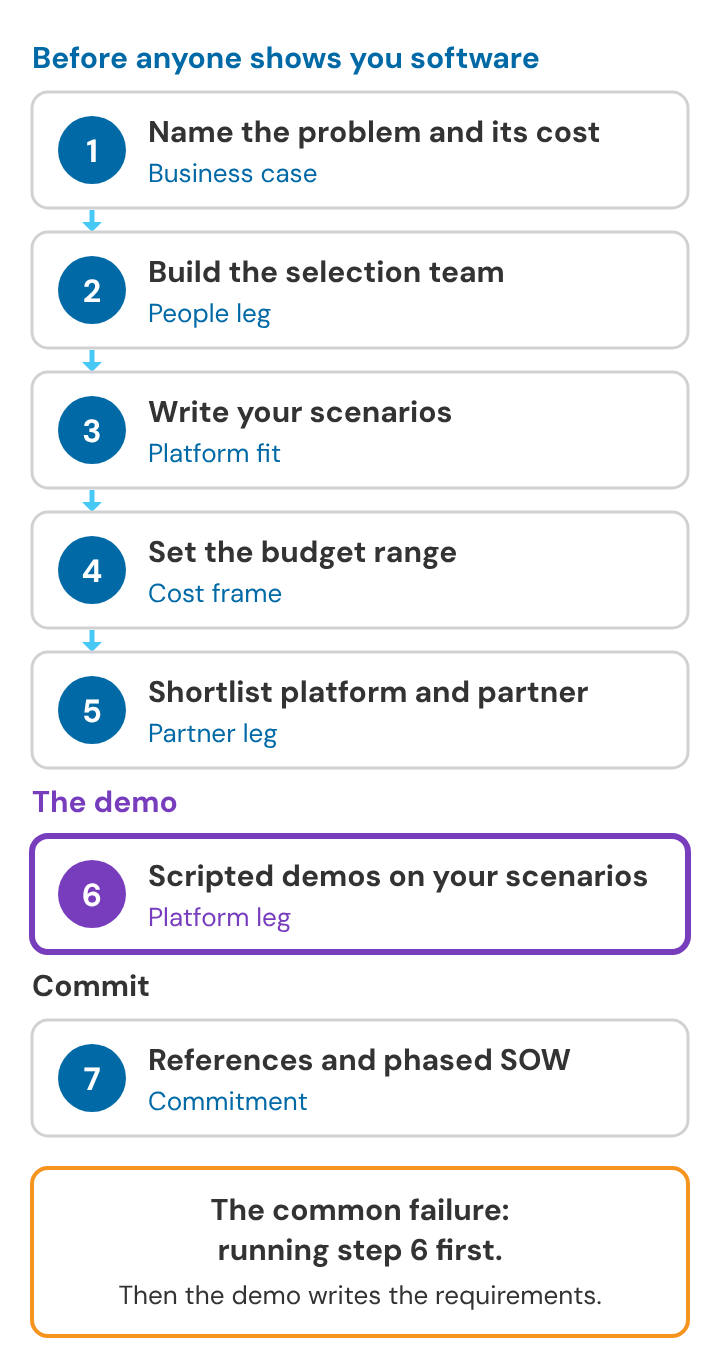
The ERP selection process runs in seven steps: name the problem, build the team, write requirements as scenarios, set the budget range, shortlist platform and partner together, run scripted demos, then check references and sign a statement of work. Each step produces something concrete, and each one fails in a predictable way when it moves.
| Step | What it produces | What goes wrong out of order | Leg tested |
|---|---|---|---|
| 1. Name the problem and what it costs | A one-page problem statement with three to five measured outcomes, such as close days or order cycle time, and today’s baseline | The project takes on the goals of whoever presented first. Success gets defined after go-live, with no baseline to measure against | Business case |
| 2. Build the selection team | A named owner, the process owners for each area, their decision rights and a calendar clear of peak season | Process owners meet the system at the demo and rewrite the requirements after the shortlist is set | People |
| 3. Write requirements as your own transactions | Five to seven end-to-end scenarios from a real trigger to a real outcome, plus a short must-have list | Requirements copy whatever the best demo showed, so every finalist passes | Platform |
| 4. Set a budget range and cost frame | A range for licence and implementation over three to five years, and how each licence meter grows | Price arrives after the team is attached to one option, and the negotiation starts from the wrong number | Cost |
| 5. Shortlist platform and partner together | Two or three platform-and-partner pairs, each with named delivery staff | The platform is picked from a demo and the partner is whoever sold it, never compared | Partner |
| 6. Run scripted demos on your scenarios | A scored scenario sheet per finalist, with every gap written down | A feature tour in an order the vendor chose. Every finalist looks the same | Platform |
| 7. Check references, then sign a phased statement of work | Reference notes with numbers in them, and a statement of work that names deliverables by phase and defines when go-live ends | Scope gets settled after signature, one change order at a time | Partner and People |
How to select an ERP system, step by step
1. Name the problem and what it costs
Start with the business, then the software. Write down what is broken, what it costs each month and what fixed looks like in numbers: close days, order cycle time, hours spent rekeying between systems, the reports finance still builds by hand. If the honest finding is that the system is fine and the process around it is the problem, you have saved yourself a selection. To test that before you commit to a project, work through the signs your business has outgrown its legacy ERP.
What it produces: a one-page problem statement with three to five measured outcomes and today’s baseline for each.
If it runs out of order: the project takes on the goals of whoever presented first, and success gets defined after go-live, when there is no baseline left to measure it against.
2. Put the people who run the work on the selection team
This is the People leg. The team needs an owner with authority, plus the people who run each process the new system will touch: the controller, the operations lead, whoever owns inventory or job cost, and IT. Expect the person with final authority to be missing from many meetings. Across eight buyer calls Crestwood documented for its persona research, the economic buyer was absent from five. The person in the room carries the case upstairs, so give them written requirements to carry.
Check bandwidth while you are here. A selection that lands go-live in your peak season is a staffing decision made by accident.
What it produces: a named owner, the process owners for each area, their decision rights and a calendar that keeps go-live clear of your busiest months.
If it runs out of order: process owners meet the system for the first time at the demo and rewrite the requirements weeks later, after the shortlist is set.
3. Write requirements as your own transactions
Requirements written as features, such as multi-currency or lot tracking, get the same yes from every vendor. Requirements written as scenarios do not. Pick five to seven workflows that run from a real trigger to a real outcome: a customer order that ships partial and back orders the rest, a change order on a job in progress, a receipt that lands at a different cost than the purchase order, a month-end close across two entities. Write each one with your own volumes and your own exceptions. Those scenarios become the demo script in step 6, which is why they have to exist before it.
Your industry decides which scenarios matter most. The factors differ for ERP buying factors for mid-market manufacturers, cloud ERP buying factors for distributors and questions to ask when buying ERP software for construction.
What it produces: five to seven written end-to-end scenarios, plus a short must-have list that disqualifies a system on sight.
If it runs out of order: the requirements copy whatever the best demo showed, so every finalist passes and none of them is tested on your exceptions.
4. Set a budget range and a total cost frame
Agree a range for licence and implementation over three to five years before anyone configures a demo. A first-year quote hides most of the cost. Ask each vendor how its licence meter grows: by named user, by module or by transaction volume. A company that plans to add people and a company that plans to add orders face different bills on the same platform, and this comparison of how two cloud ERP licensing models meter growth shows how far apart they get.
What it produces: a budget range over three to five years and a one-line note on how each shortlisted vendor’s licence grows with you.
If it runs out of order: price arrives after the team is attached to one option, and the negotiation starts from the wrong number.
5. Shortlist the platform and the partner together
This is the Partner leg, and it is the step selections skip most. For a mid-market company, the firm that configures, trains and supports the system shapes the result as much as the software does. So treat the shortlist as two or three pairs: a platform and the firm that will put it in.
Test the partner with the questions a demo cannot answer. Who on the proposal will staff the build? Have they implemented your industry at your size? How do they define go-live? Who answers when something breaks in month three, and what does the support agreement cover? Can they name deliverables by phase? A partner who quotes a price before understanding your business is showing you the weak leg.
For the full partner question set, use the ERP partner selection checklist, the criteria for choosing a cloud ERP consultant and, if Microsoft is on your list, how to choose a Business Central partner.
What it produces: two or three platform-and-partner pairs, each with the names of the people who would deliver the project.
If it runs out of order: the platform gets picked from a demo, and the partner is whoever happened to sell it. Nobody evaluated the leg that runs the project.
6. Run scripted demos on your scenarios
Now the demo. Send each finalist your step 3 scenarios in advance and ask them to run your workflows, with your data where possible, from trigger to outcome. Crestwood calls this a Day in the Life Demo: five to seven workflows across departments in place of a feature tour. Score every scenario the same way for every finalist, and write the gaps down while they are fresh. A demo that shows only the happy path, with no exceptions and no configuration for your business, shows you how the software looks rather than how it will run.
The ERP Selection Criteria Checklist gives you a scoring sheet built for this step.
What it produces: a scored scenario sheet for each finalist, with every gap written down.
If it runs out of order: you get a tour of features in an order the vendor chose, and every finalist looks the same.
7. Check references, then sign a phased statement of work
Call references at companies of your size and industry, and ask what they measured. A reference who can name a number tells you more than five who say it went well. The Liberty Elevator case study is the kind of answer to listen for: a 10% reduction in accounting expense and immediate visibility into cost budget analysis.
Then sign a statement of work that names deliverables by phase, who owns each one, and when go-live ends. Define the end of go-live as the first full month-end close on the new system, so the people who built it are still accountable when that close runs.
What it produces: reference notes with numbers in them, and a statement of work with phase deliverables, owners and a written definition of go-live.
If it runs out of order: scope gets settled after signature, one change order at a time.
Three shortcuts that cost the most
Each of these feels like progress in the week it happens. Each one moves a step out of order.
- Demo first. Seeing software early feels like momentum. It hands the vendor your requirements, because the team starts wanting what it saw.
- Platform now, partner later. Picking the software and then looking for someone to install it means the partner was never compared, and the partner is the firm you work with through go-live and after it.
- Price at the end. Leaving cost until after the demos means the budget conversation starts with a favourite already chosen, which is the weakest position a buyer can negotiate from.
Where the selection gets specific
This post is the sequence. The guides below go deeper on one step, one industry or one role.
- Distribution: How to Choose Cloud ERP for Distributors in 2026 and 8 Cloud ERP Buying Factors for Distributors in 2026
- Manufacturing: 9 ERP Buying Factors for Mid-Market Manufacturers
- Construction: 8 Questions to Ask When Buying ERP Software for Construction
- Readiness: How to Tell if Your Business Needs Cloud ERP
- Partner and consultant: How to Choose a Business Central Partner in 2026 and 10 Criteria for Choosing a Cloud ERP Consultant
- Platform comparison: Acumatica vs NetSuite
- Scoring the finalists: ERP Selection Criteria Checklist: A Scorecard That Separates Your Finalists
Why Crestwood
Crestwood implements both Acumatica and Microsoft Dynamics 365 Business Central, and has been in business since 1998. Because we sell and support both, recommending one over the other costs us something, and we will tell you when neither is the right fit. Crestwood is an award-winning Microsoft partner and an Acumatica President’s Club winner (2024 and 2025).
Our own sales process runs in the order this post recommends. We learn how your business works first, check the budget range before we configure anything, and only then build a demo around your workflows.
If you want a second read on step 1 before you start, book a Business Optimization Assessment. It is a working session on how your business runs today: where work leaves the system, which steps run on spreadsheets, and which leg of the stool looks weakest. You leave with a written summary of what to fix first and whether a new ERP belongs in the answer.
The business may not have a people problem. It may have an operating model problem.
We sell, implement, support, and optimize it. An in-house team of industry experts. One hand to shake.
Trusted by clients like Wet & Forget, which cut its month-end close from eight days to five after moving from Dynamics GP to Business Central with Crestwood.
Book your assessment with an industry expert for your business, and leave knowing which step of your selection to tackle first.
Frequently asked questions
What are the steps in the ERP selection process?
Seven steps, in this order: name the problem and what it costs, build the selection team, write requirements as your own transactions, set a budget range over three to five years, shortlist platform and partner together, run scripted demos on your scenarios, then check references and sign a phased statement of work. The order matters as much as the steps.
What are the key criteria for selecting an ERP system?
Judge every finalist on three legs. Platform: does it run your own scenarios without custom code? Partner: who staffs the build, have they implemented your industry at your size, and who supports you after go-live? People: does your team have the bandwidth to run the project? Then compare total cost over three to five years, not the first-year quote.
Should you choose the ERP software or the implementation partner first?
Choose them together. Shortlist two or three platform-and-partner pairs before any demo, because the partner configures the demo, staffs the build and supports you after go-live. A platform picked on its own leaves the partner to whoever happened to sell it, which makes the partner the leg nobody tested.
When should you see an ERP demo?
At step six of seven, after requirements, budget and partner fit are settled. By then you have written scenarios to hand each finalist, a budget range that rules out systems you cannot afford, and a shortlist of partners worth testing. A demo seen earlier sets the agenda instead of being tested against one.
How do you choose between ERP vendors?
Give every finalist the same five to seven scenarios from your own business, score each scenario the same way, and write the gaps down during the demo. Then call references at companies of your size and industry and ask what they measured. Pick the finalist that runs your exceptions cleanly, with a partner you would trust in month three.
How do you choose an ERP implementation partner?
Ask who will staff the build, whether they have implemented your industry at your size, how they define go-live, and what support looks like after the first close. Ask for references at similar companies. A partner who quotes a price before understanding your business, cannot name deliverables by phase or will not give references is showing you a weak leg.


