

Here’s one of our favorite new time-saving features in Acumatica 2017 R2 – print and send out statements on demand. This ability to send current statements translates into faster payments on current invoices.
For example, many businesses send statements to customers with their orders; however, customers also call in and want a copy of their current statement. In the past, usually all you could give them is last month’s statement, or you would have to set up a complex, manual process to run a custom statement cycle, assigning the cycle to the specific customer.
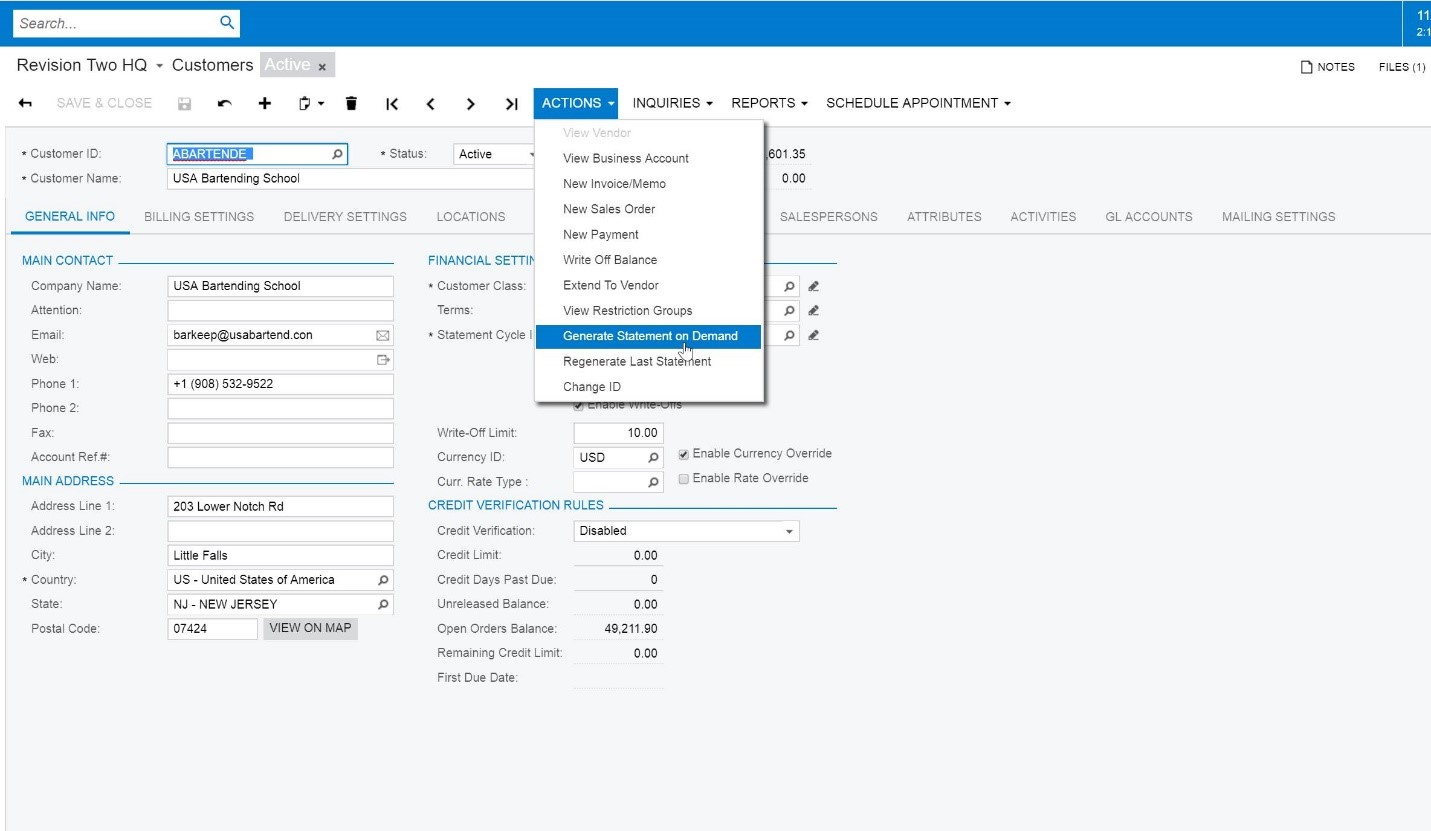
Not anymore! Now with Acumatica 2017 R2, the new generate statement on demand menu command has been added to the actions menu in the customer form.
Here’s how:
First, go to the specific customer and in the Actions menu, select Generate Statement on Demand.
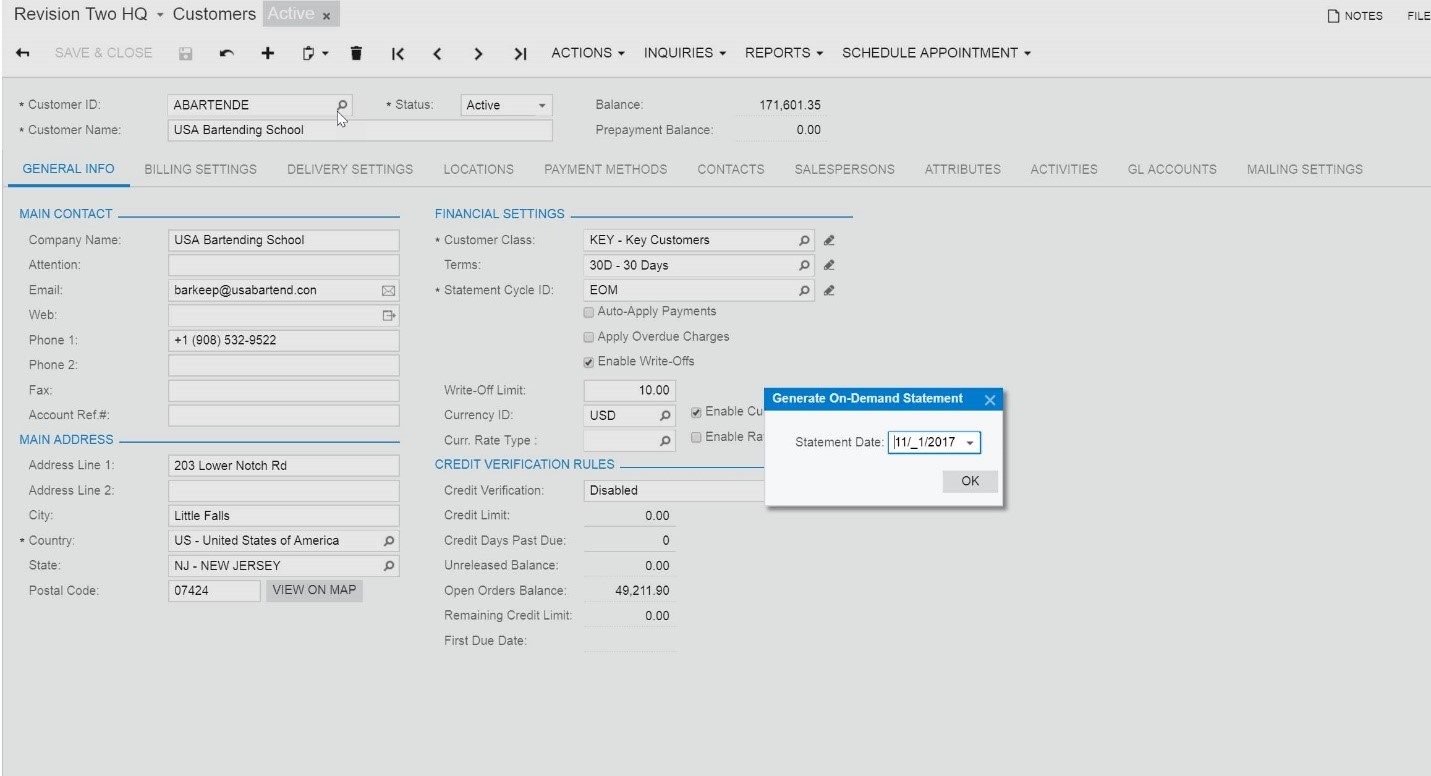
Second, select the statement date.
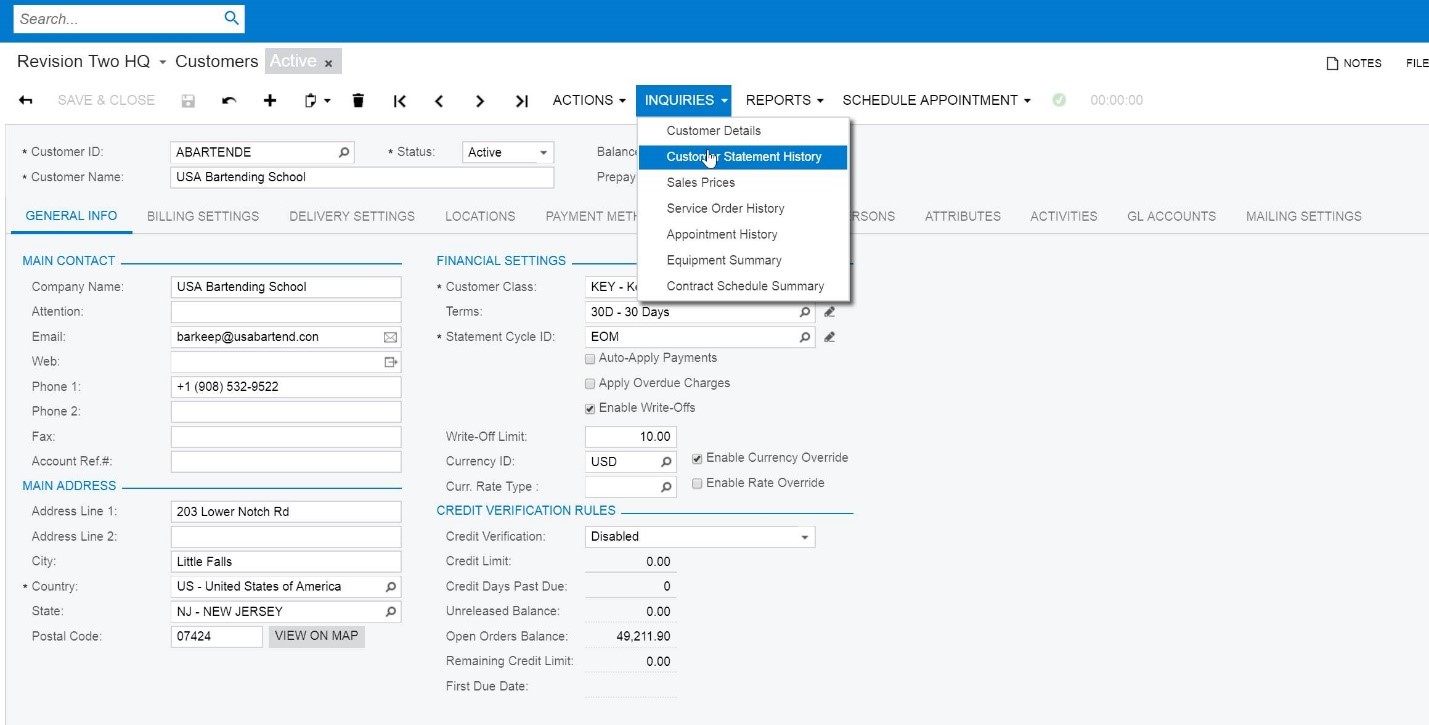
Third, go to the Inquiries menu and select Customer Statement History.
Now, select the current statement. Notice the “On-Demand Statement” checkbox is marked.
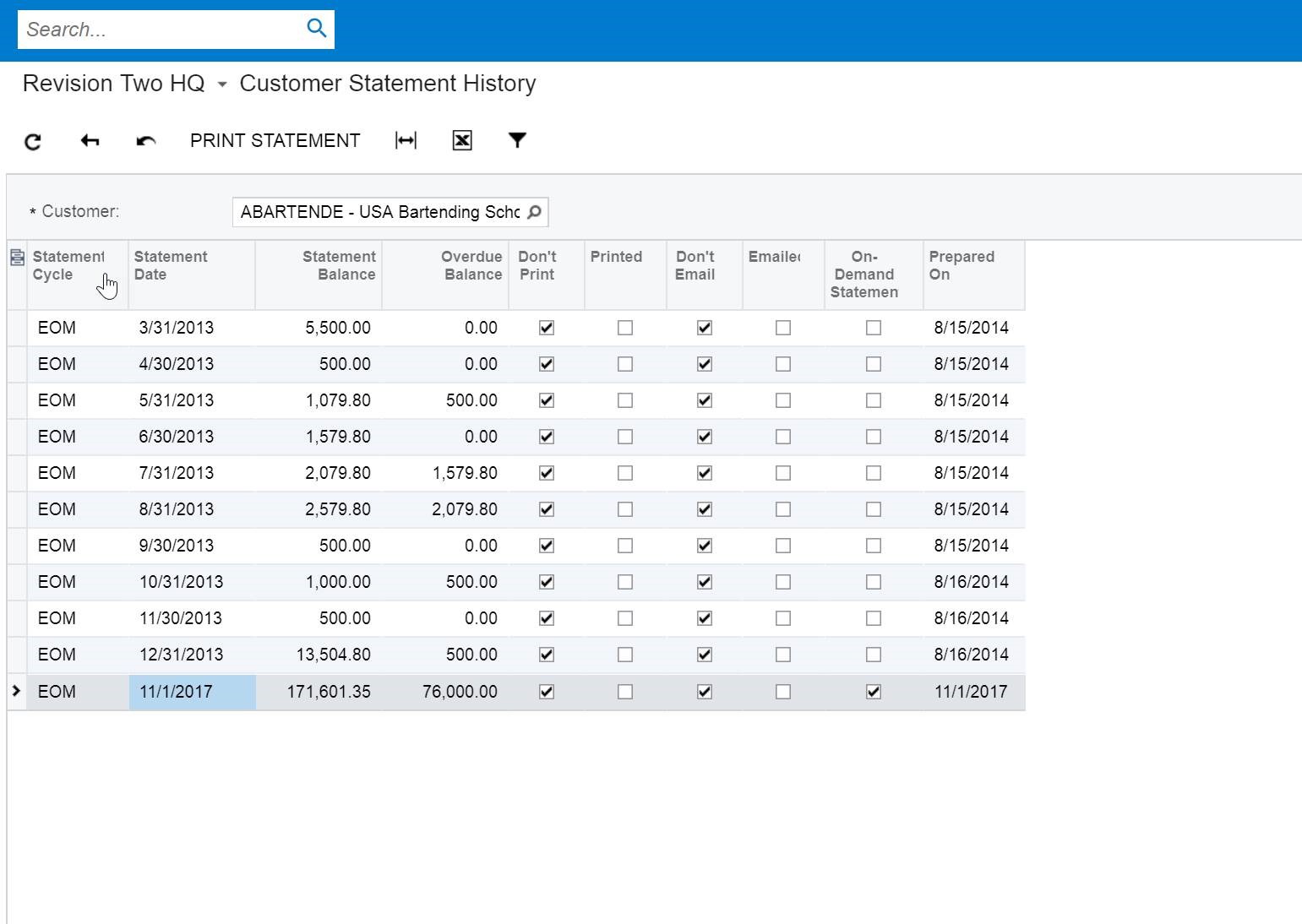
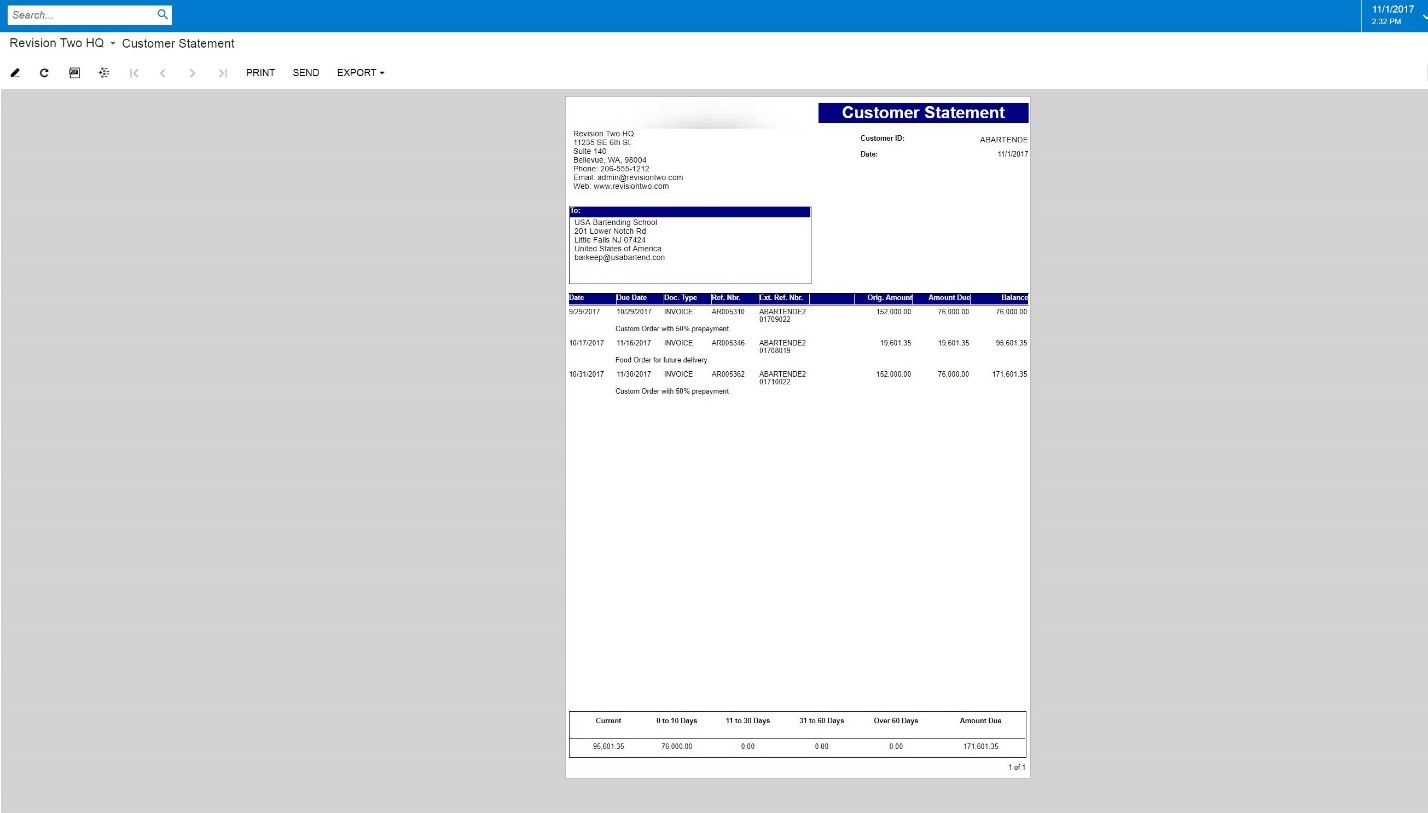
Preview the statement and send it to your customer. Yes, it’s really that easy!
For more time-saving features, visit our other Acumatica blog posts here.


