

Have you recently performed a company import in your Dynamics system?
Did your MR report definitions disappear?
Don’t worry, here’s the fix. Follow these steps to bring back your report definitions.
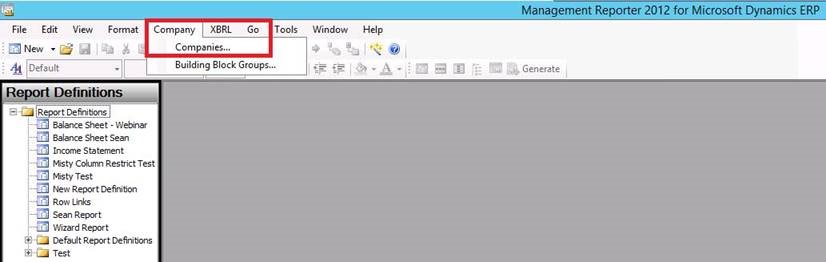
- Log in to Report Designer and click on Company in the menu ribbon and select companies.
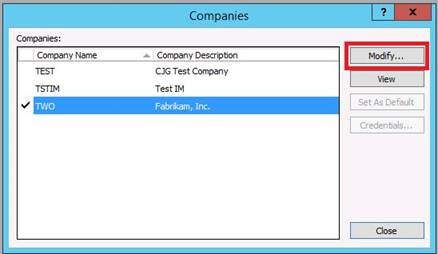
- In this window, highlight a company and click on modify.
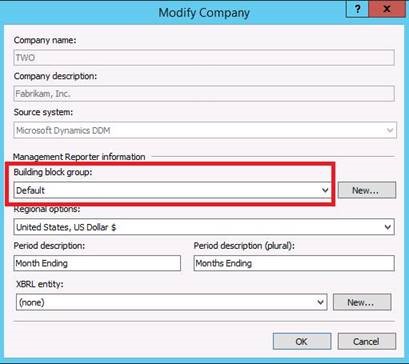
- Next, choose the correct building block in the drop down (it may be different for each company) and click OK.
- That’s it! Go back and try things out. Your report definitions should now be there.
If you have questions or need some assistance, visit our support page for more help.


