Webinar Graphic 2018 V2
Reporting

Webinar: Learn the Basics of SSRS

Thursday, August 30, 2018 11:00 AM - Noon (CST)   Register Here! Join us for an hour of free, basic SQL Server Reporting Services (SSRS) training. Yes, you too can learn to create, edit, and deploy SSRS reports. David Gigear of Crestwood, will walk you through a live demo of

by Kayla
Read More
Webinar Graphic 2018 V2
Reporting

Webinar: Mastering Management Reporter – Tips & Tricks

Tuesday, August 14, 2018 11:00 AM - Noon (CST)   Register Here! Join us for a free, hour-long webinar demonstrating great tips & tricks for all your reporting needs with Management Reporter. Mike Gordon, one of Crestwood's MR experts, will detail best practices and tips & tricks that our team

by Kayla
Read More
Security
Dynamics GP

What Security Reports Should I Use for Auditors for Dynamics GP?

We often receive calls from our clients when auditors want to review security. Microsoft Dynamics GP offers several security reports you can run for audits. How to print the Dynamics GP security reports Go to Reports>System>Security. In this window, you’ll see the list of available reports. The most common reports

by Mike Gordon
Read More
YE1
Dynamics GP

Dynamics GP Year End Close and Retained Earnings Account

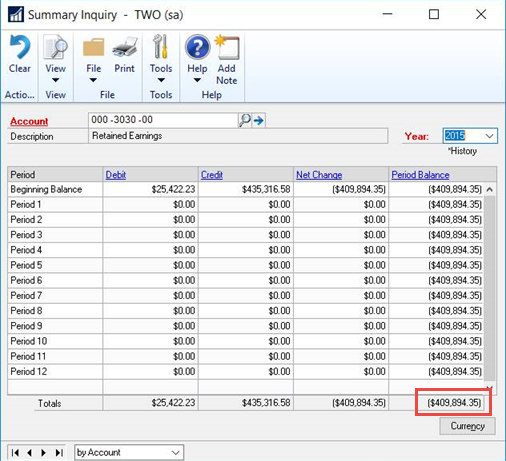
We have had several clients inquire about the impact on the Retained Earnings Account during the Year End Close process. Here is an explanation. During the Year End Close process, Microsoft Dynamics GP uses the Posting Type of each account to determine which accounts are Balance Sheet vs. P&L accounts.

by Dan Milani
Read More
Dashing1
Acumatica Cloud ERP

Dashing to Dashboards in Acumatica

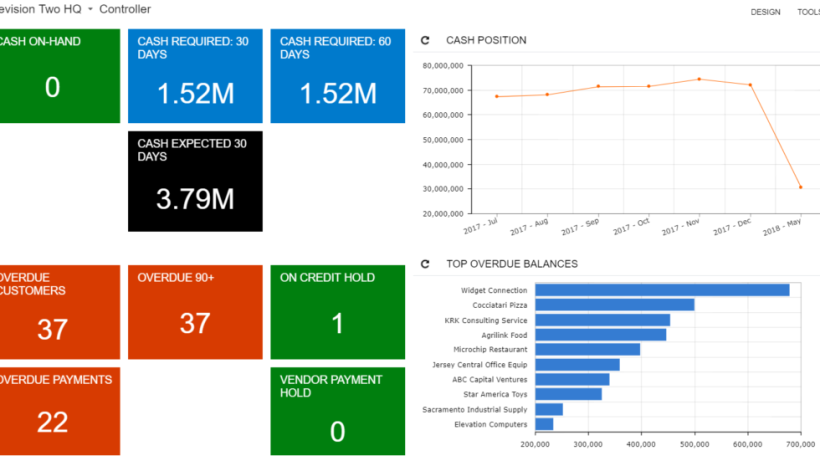
We recently shared some tips on Acumatica’s powerful dashboards and presented a webinar on the new features in Acumatica 2017 R2 with the new modern user interface.  While dashboards are powerful reporting tools that can provide great insight into financial and operational areas, access to a dashboard requires the same consideration

by Lori
Read More
AR1
Dynamics GP

How to Set Up an Accounts Receivable Roll Forward Report in Dynamics GP

Do your bank or auditors need an AR roll forward report? Many times I work with businesses who do asset-based borrowing and this report is required. The AR Roll Forward report details all the transactional accounts receivable activity in a period, with the beginning and ending balances tying back to

by Jamie
Read More
PagliaCleaning1
Dynamics GP

Use SSRS to Save Time Getting Dynamics GP Reports for Your Audits

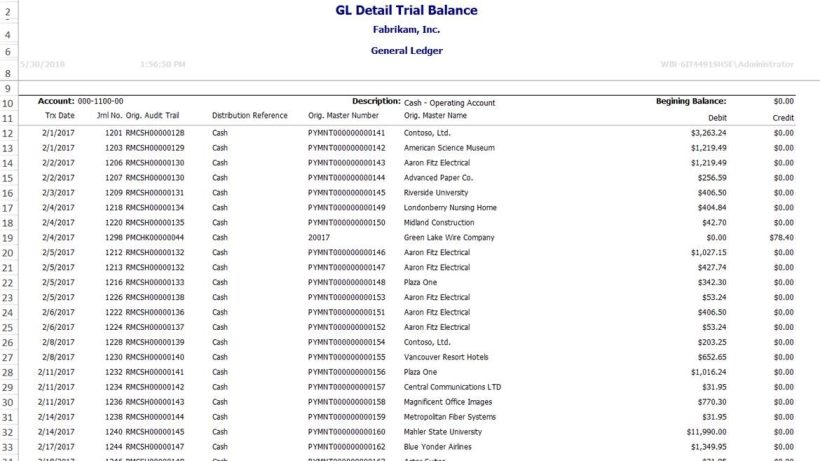
Most people export a .csv file of their Trial Balance Detail report right from Microsoft Dynamics GP for their audit team.  However, you usually end up spending more time than you would like cleaning it up, re-formatting, and manipulating it first.  Sound familiar? Here’s an easy solution: Export using SSRS Instead

by Mike Gordon
Read More
GS 1
Dynamics GP

Using SmartList to Display Attachments in Dynamics GP

Which vouchers have attachments? In Dynamics GP, the Document Attach feature allows you to connect documents such as requisitions, credit reports, and images to master records and transactions. An easy way to quickly see whether a payable voucher has an attachment is to create a SmartList.  Read on to find

by Dan Milani
Read More
QTD Blog 1b
Acumatica Cloud ERP

Setting Up QTD Reports in ARM for Acumatica

Acumatica comes with over 250 standard reports; however, one of the most common requests we get is how to set up a Quarter-to-Date (QTD) financial report.  Using Acumatica ARM, there’s no hidden columns needed - you just run the financial reports for a Quarter-end period. Here’s How: Here’s an example

by Lori
Read More
AcuDashboard1
Acumatica Cloud ERP

Custom Dashboard Widgets in Acumatica for Enhanced Financial Reporting

Custom Dashboards can be a powerful reporting tool, based on any information within the Acumatica system.  They are visually pleasing and easy to see the data important to you.  Acumatica dashboards are generally made up of one or several widgets, which are a report of some kind.  You can also

by Jamie
Read More
Acumatica Dashboard
Acumatica Cloud ERP

Acumatica Dashboards Made Easy

Dashboards can be a powerful reporting tool, based on any information within the Acumatica system.  They are visually pleasing and easy to see the data important to you.  Acumatica dashboards are generally made up of one or several widgets, which are a report of some kind.  You can also configure

by Jamie
Read More
PowerBi for GP 1
Dynamics GP

Now Available:  Dynamics GP 2018 & Power BI Content Pack

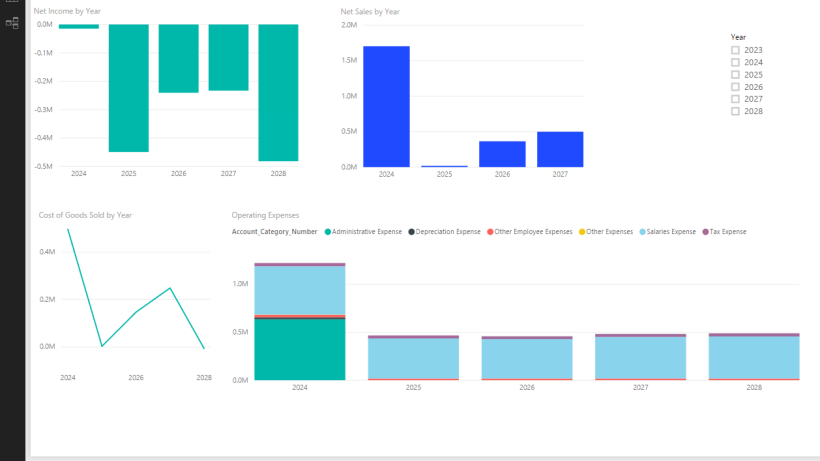
We’ve been waiting for what seems to be a very long time for a Power BI Dynamics GP Content Pack.  The wait is OVER! This Power BI Content Pack includes pre-built reports for your Dynamics GP data on: Financials Sales Purchasing Inventory This content pack helps you with the relationships

by Kayla
Read More
tablet with dashboardFA
Reporting

Getting Started with Microsoft Power BI

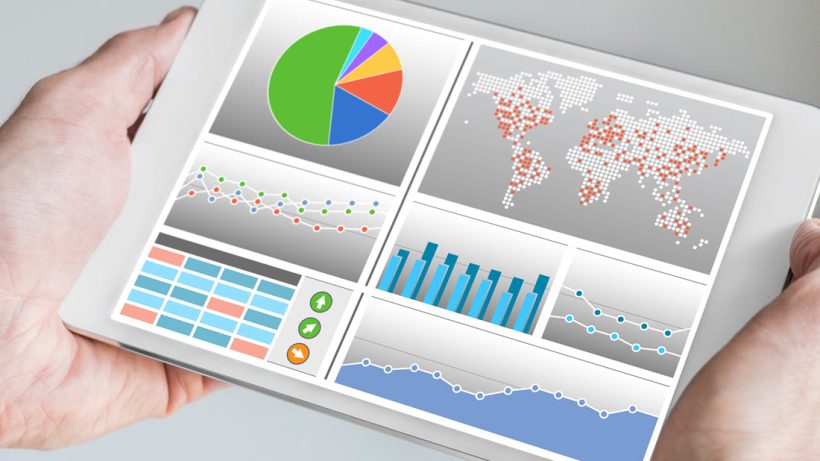
An easy to follow guide for beginners and end users – like me! This guide is designed for end users like me, to help you to get up and running with Power BI.  Maybe you’ve heard of Microsoft Power BI and even tried playing around with it.  However, I find

by Kayla
Read More
PowerBIReport 1
Reporting

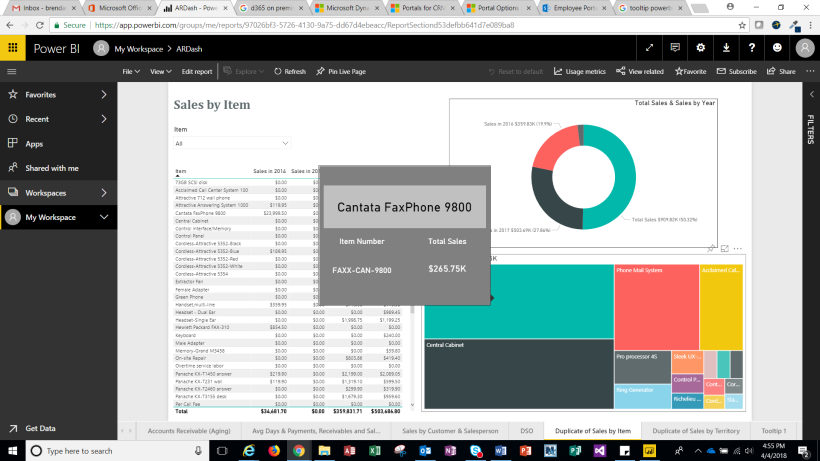
March 2018: Power BI Reporting Updates

March was a big month of updates for Power BI.   I am really excited about some of the new additions they released.  Here are my highlights from this recent round of updates to Microsoft Power BI. Custom Report Page Tooltips (Preview Mode) What are tooltips? It’s a message that appears

by Kayla
Read More
Webinar Graphic 2018 V2
Reporting

Webinar: Power BI Your ERP Data

Thursday, April 5, 2018 11:00 AM - Noon (CST) Register Here!   Join Crestwood and learn how to get started with Microsoft Power BI.  This free, hour-long webinar will cover the basics of using and connecting Power BI to your data.  Additionally, we will explore: Getting Data - Import vs DirectQuery

by Kayla
Read More
Webinar Graphic 2018 V2
Dynamics GP

WEBINAR: Enhancing Your Dynamics GP System with Reporting-Central

Thursday, March 15, 2018 11:00 AM - Noon (CST) Register Here Please join Crestwood Associates and our partner, Reporting-Central, for a free webinar showing you some of the great tools to help Dynamics GP users tackle daily nagging issues: Reconciling the GL with Sub-Ledgers to get the books in balance

by Kayla
Read More
Webinar Graphic 2018 V2
Reporting

Webinar: Learn the Basics of SSRS Reporting for ERP Systems

Tuesday, March 6, 2018 11:00 AM - 12:00 PM Register Here SQL Server Reporting Services (SSRS) is one of the most popular components of SQL Server, but where do you start, especially if you are not a developer. Join David from Crestwood for this introduction to Building SSRS Reports.  He

by Kayla
Read More
MR New User1
Dynamics GP

How to Add a New User in Management Reporter

Recently, we have received a handful of calls on how to add a new user to Management Reporter (MR).  So, I thought this would be a good time to revisit the process. First, you must be an MR administrator to add users. Also, the user you are adding must have

by Mike Gordon
Read More
admin ajax 1
Dynamics GP

Don’t Miss GPUG Amplify – March 20-21, 2018 | Chicago, IL

I’m excited and honored to be presenting “Explore Your GP Reporting Options” session at the upcoming GPUG Amplify conference in Chicago on March 20, 2018. I invite you to join hundreds of other leaders and learn more about Reporting, Functional, and Executive Leadership with Dynamics GP at its focus. Amplify

by Mike Gordon
Read More
GPUserSec1
Dynamics GP

Microsoft Dynamics GP – How to Get a List of Users and Access

Sometimes you need to know what access users have in Microsoft Dynamics GP. Maybe for an audit or just a routine cleanup of your system. Luckily, there are some pre-loaded or ‘canned’ reports in Dynamics GP that you can use. How to Access the User Security Reporting: To access the

by Kayla
Read More
CrashMR1
Dynamics GP

Crashing and Connection Errors with Management Reporter Console, Dynamics GP, and SQL

Error and fix when your Management Reporter console crashes. This one is great!  My client was having issues with the Management Reporter (MR) Configuration Console crashing as soon as you tried to open it, and the MR Process Service kept stopping after you would start it. I was also getting

by Brandon
Read More
MFSPEC1
Dynamics GP

Management Reporter (MR) and Dynamics GP Legacy Connection – Caution When Importing a New Company

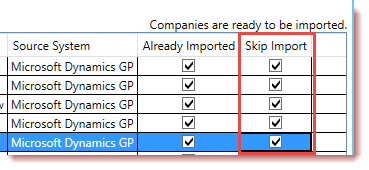
CAUTION - If you’re using MR with the Legacy connection to Microsoft Dynamics GP, when importing a NEW company to MR, be careful.  You want to make sure you check the boxes for “Skip Import” for all the existing companies that are setup if you are using multiple Building Block

by Brandon
Read More
power bi banner
Reporting

Microsoft Power BI Training Resources

Microsoft Power BI - it’s been the buzz for a while now, but maybe you haven’t found the time to dig through all that information and try it out yet. We get it; there is so much out there that it can be overwhelming. Download our free Power BI Training

by Kayla
Read More
100words
General ERP

10 TIPS FOR REPORTING FINANCIALS TO THE BOARD

Updated for 2025–2026This article has been reviewed and updated to reflect current board reporting expectations, financial leadership trends, and modern ERP reporting practices. What Decision-Focused Boards Actually Want to See Board reporting has changed. In 2026, boards are not asking for thicker packets, more schedules, or deeper account detail. They

by Stephanie McColly
Read More